Several incoming alerts
Different screens and notification sounds compete for attention during peak periods.

One dashboard. Fewer tablets. Better order control.
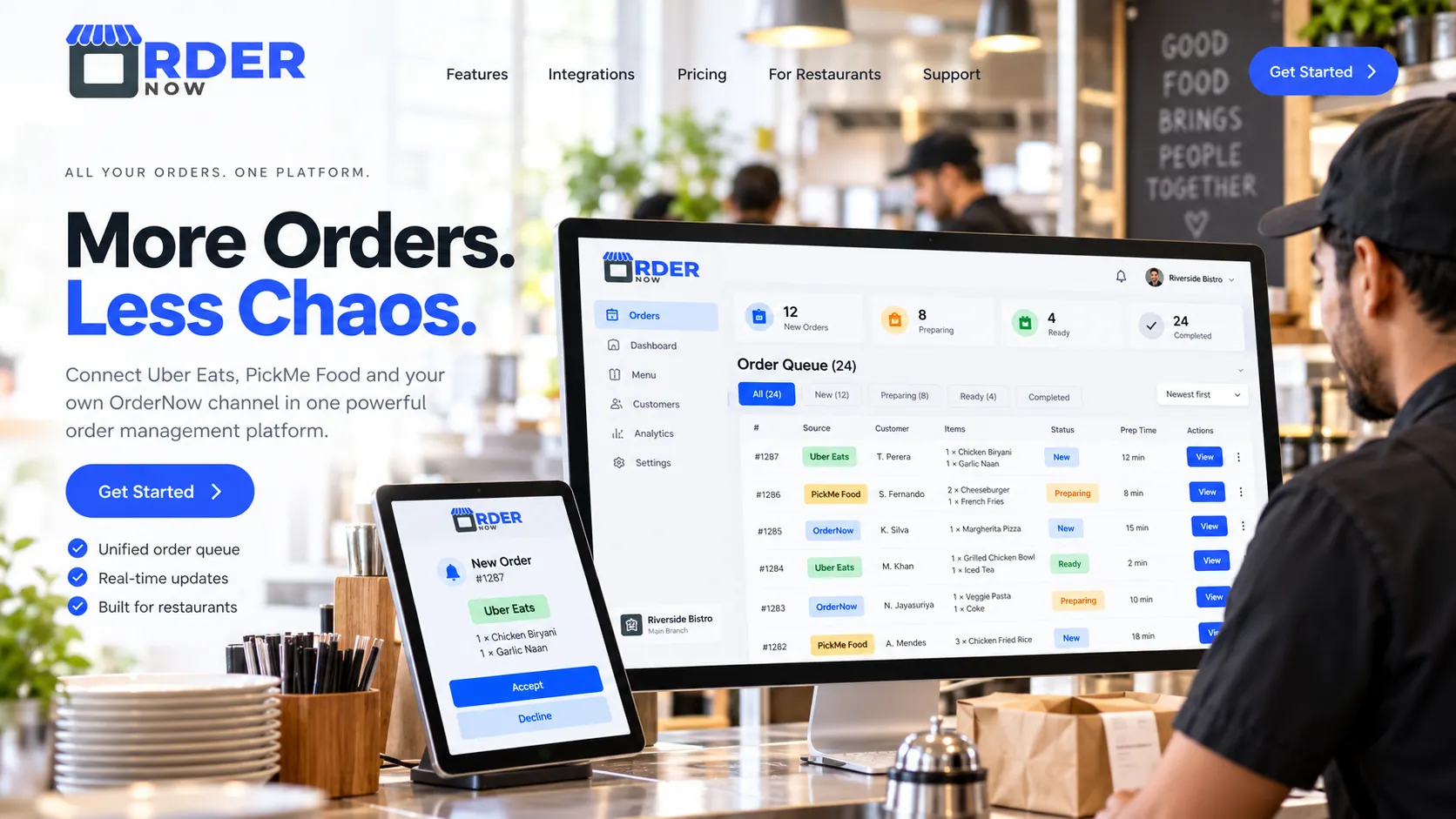
Bring supported Uber Eats, PickMe Food and direct OrderNow orders into a clearer daily workflow. Manage incoming orders, organize the kitchen and handle menu updates without jumping between disconnected tools.
Connection availability and supported sync actions depend on Uber Eats and PickMe Food platform permissions, merchant accounts and technical verification.

OrderNow is a restaurant management platform that can connect external delivery order sources to its POS, order dashboard and kitchen tools where API access is approved. The goal is to manage supported Uber Eats and PickMe Food activity from one place, alongside orders from the restaurant’s own OrderNow QR menu.
Every separate order screen adds friction between the delivery app, counter staff and kitchen. The problem is not more orders. It is fragmented operations.
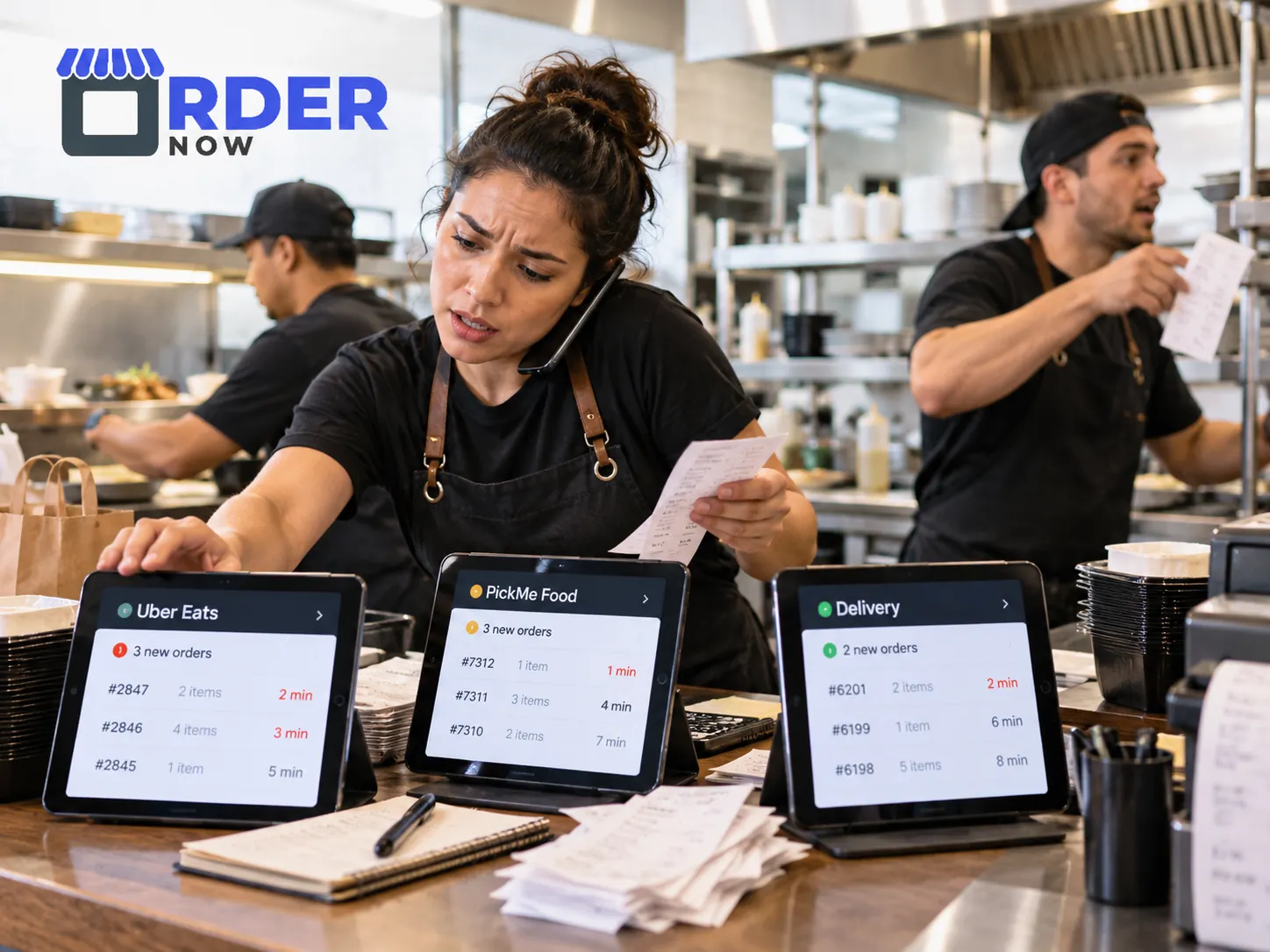
Different screens and notification sounds compete for attention during peak periods.
A sold-out item or changed price can require updates across separate sales channels.
Staff may need to re-enter orders or relay separate tickets to kitchen stations.
Owners spend extra time comparing performance across disconnected tools.
Instead of switching between systems to understand what is happening, your team can work toward a single order queue with clear source labels and actionable statuses. This gives the counter and kitchen a shared picture of incoming delivery demand.
In a supported configuration, orders can be identified by channel, viewed by status and passed into OrderNow's existing POS and kitchen workflow. Source-specific controls depend on the actions each delivery platform permits.
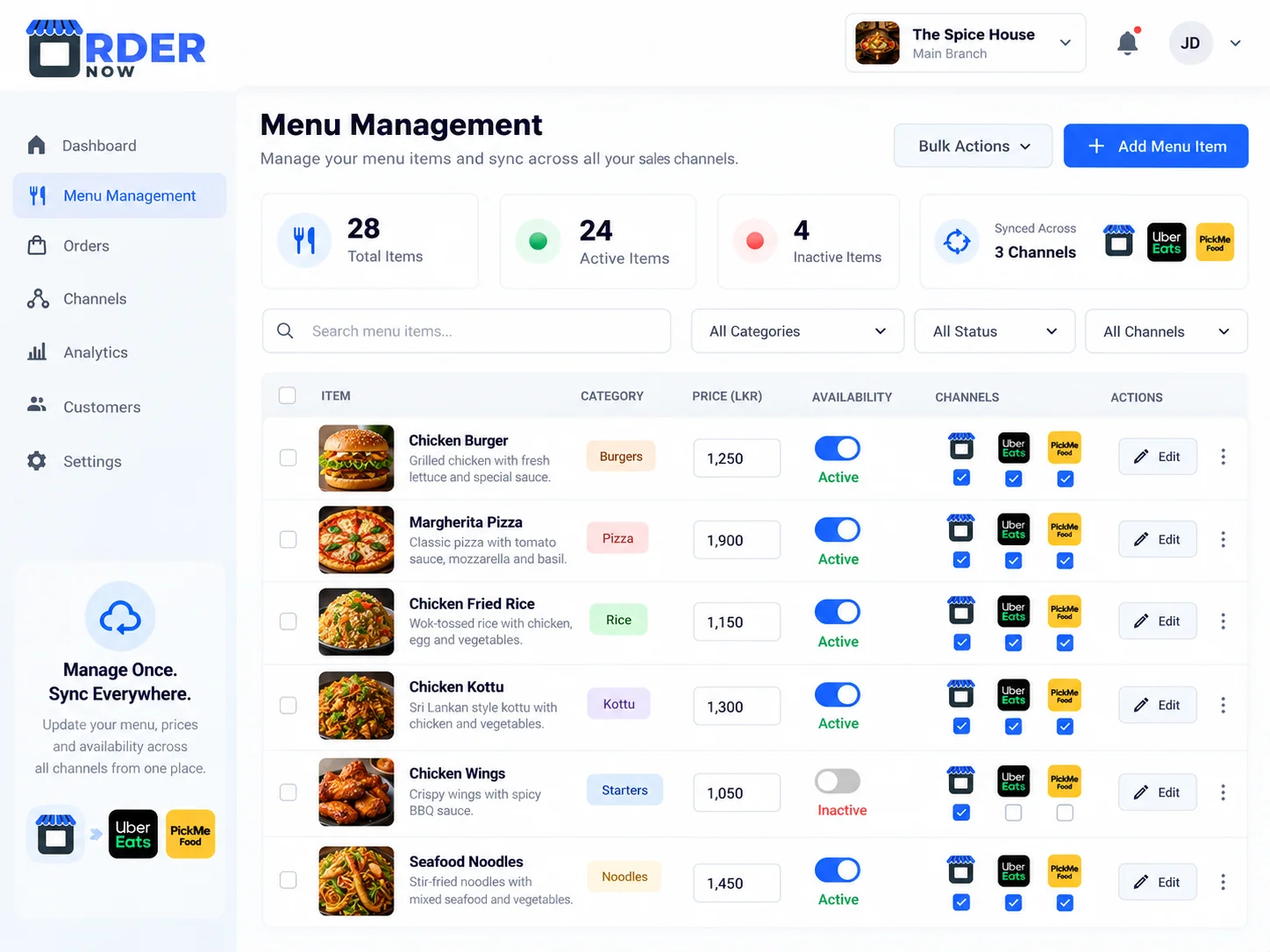
Menu management should not require repetitive work. OrderNow already supports restaurant menu items, photos, categories, portion variations, modifiers, prices and availability. External menu integration can extend this control to approved marketplace accounts.
The aim is to help restaurant teams handle sold-out items, changed prices and menu updates from one central management workflow. Some fields may need channel-specific prices or mapping, and some platforms require manual approval before changes appear.
Important: centralized editing is an integration objective. Confirm the supported update and synchronization permissions for each connected platform before activating the feature.
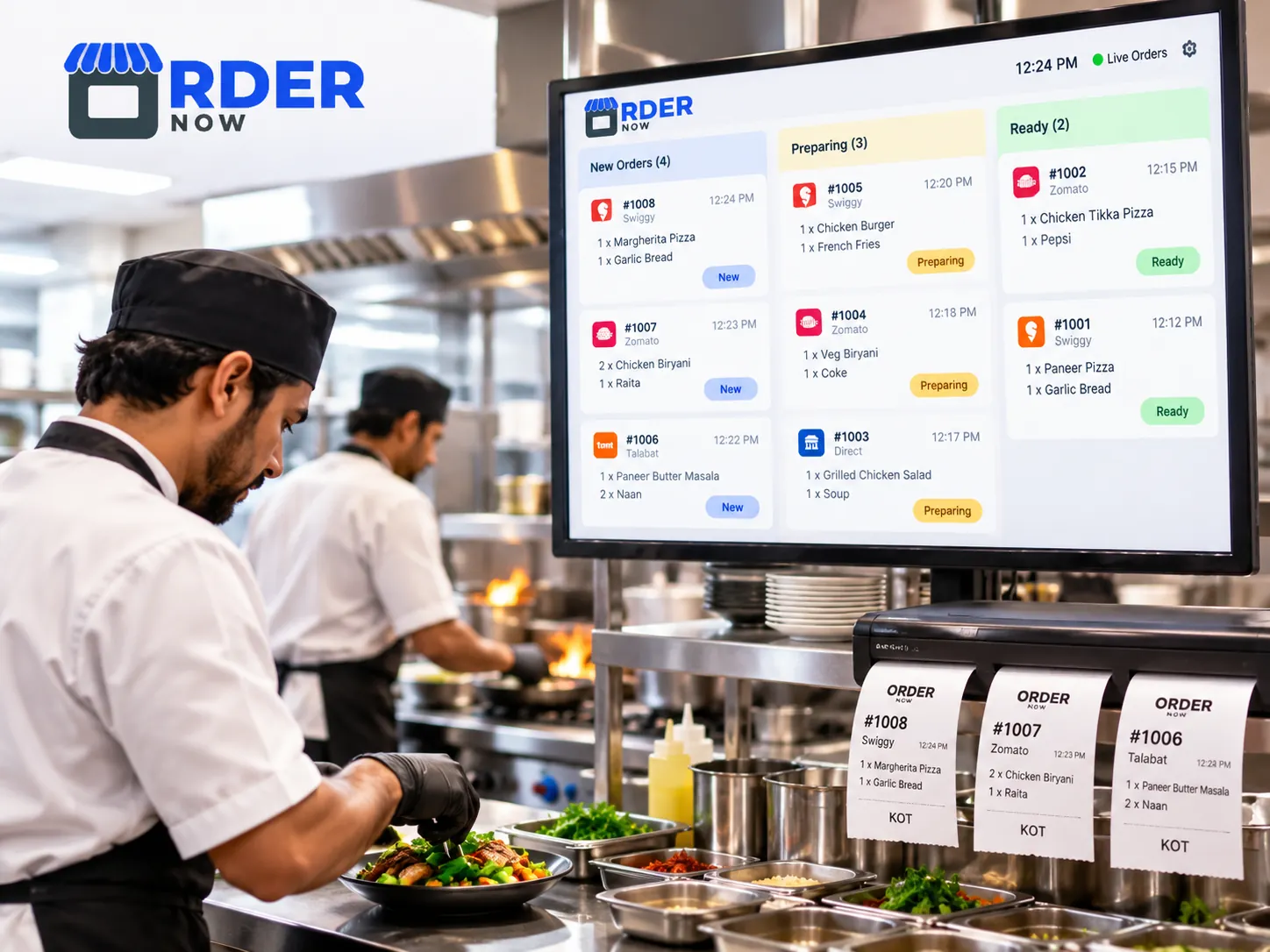
A new order is only useful when the kitchen receives it correctly. OrderNow already offers a restaurant POS, Kitchen Order Tickets (KOT), kitchen display screens and printer routing. Supported marketplace orders can be directed into these operational tools after successful connection.
Kitchen staff can focus on preparation while cashiers and managers follow order progress. Outlet mapping, status handling, receipt formatting and printer settings should be verified in an end-to-end test for every integration.
Explore OrderNow restaurant POS and KOT for more details about our kitchen tools.
Delivery aggregators handle their own marketplace checkout. OrderNow's integration scope begins where approved platform data can enter the restaurant's order workflow.
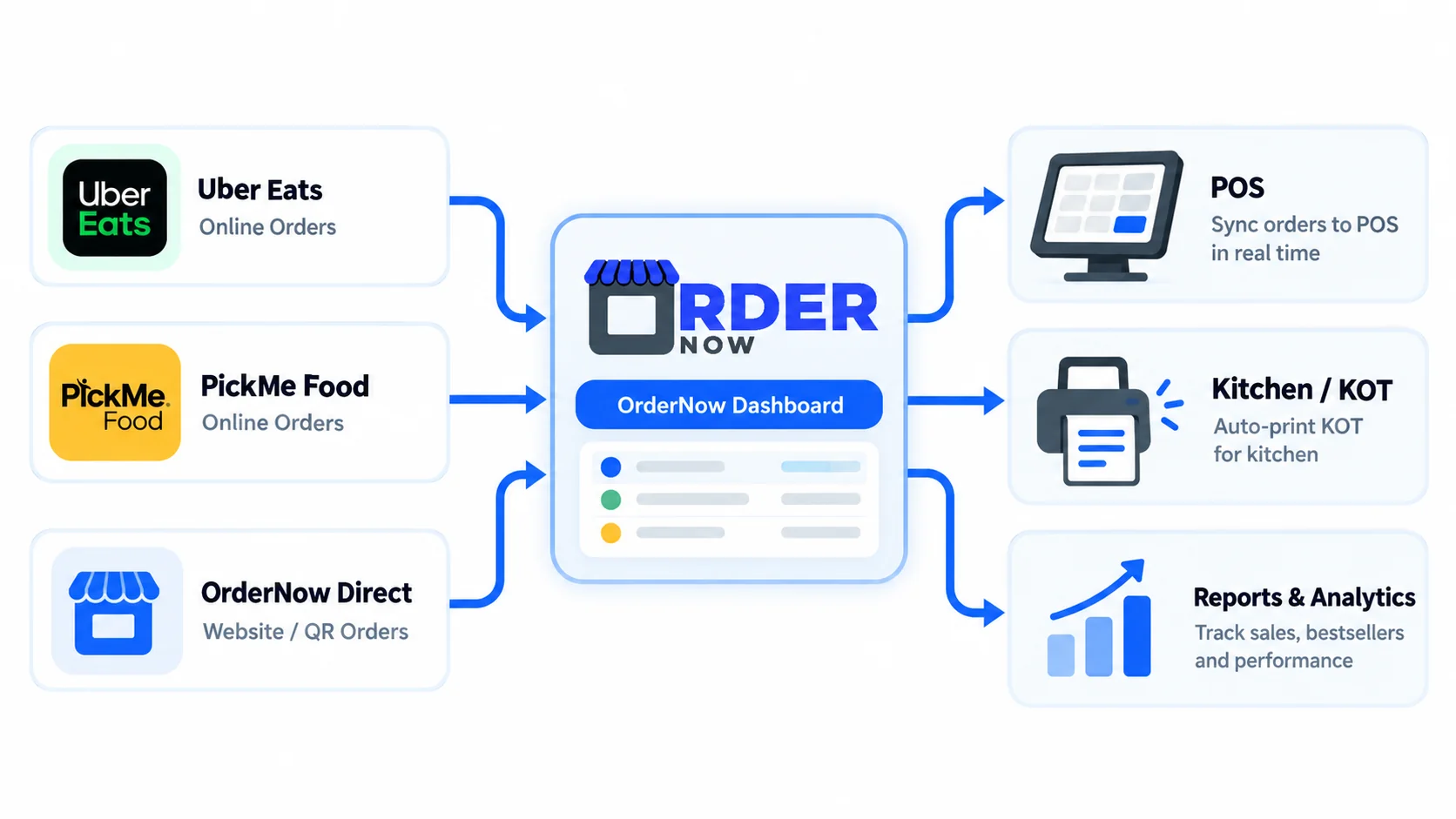
Confirm merchant access and securely configure supported Uber Eats and PickMe Food accounts.
Review items, modifiers, prices, source IDs, order status and branch-level configuration.
Run trial orders, confirm kitchen routing and staff actions, and establish a fallback procedure.
Compare the daily experience of disconnected order channels with a successfully implemented centralized workflow.
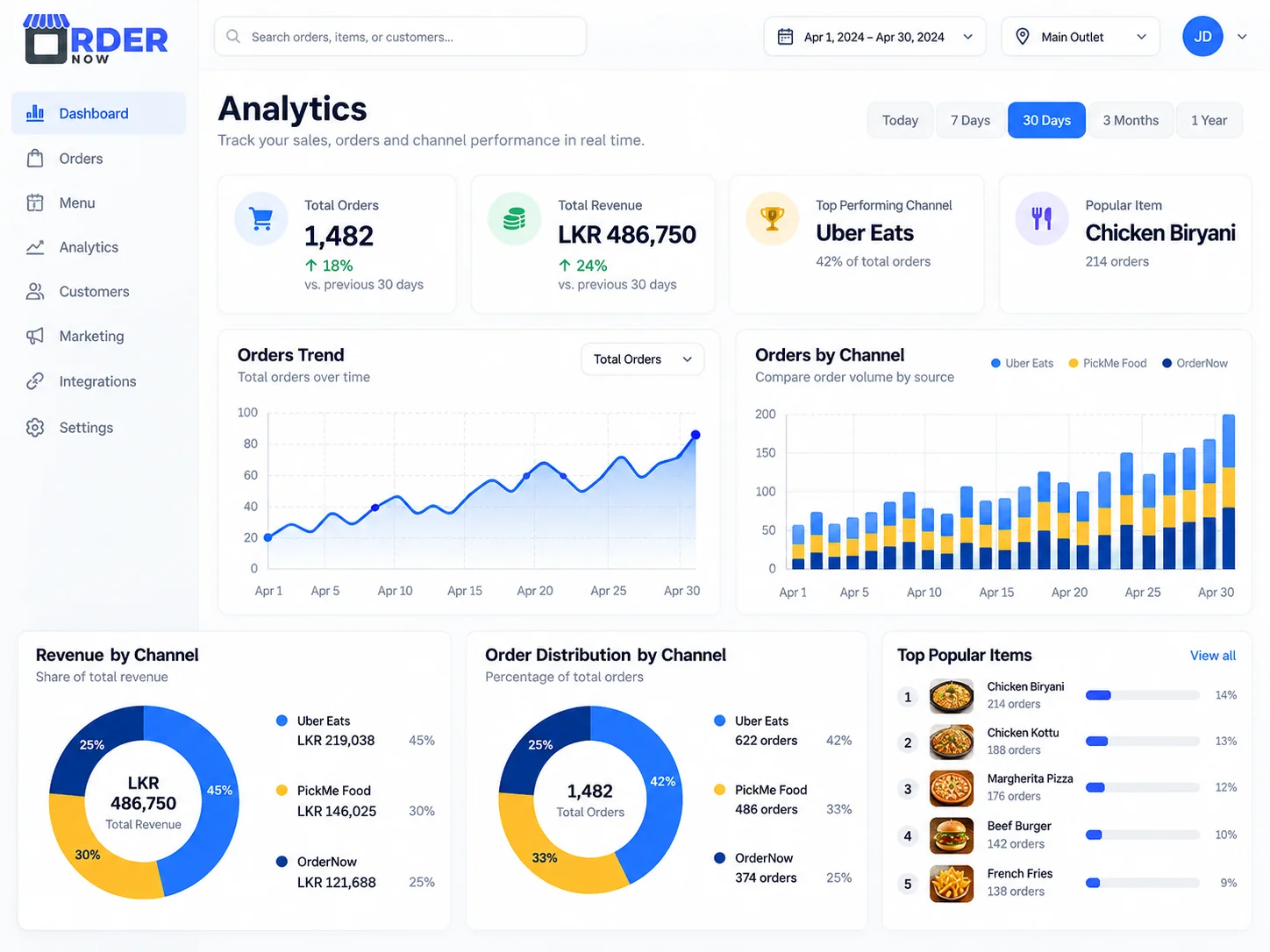
Restaurant owners need to know more than how many orders arrived. OrderNow's reporting tools cover sales, items, trends and branch performance. Where the external integration supplies the necessary data, reports can help compare incoming delivery volumes and popular dishes by channel.
Keep an eye on how Uber Eats, PickMe Food and direct OrderNow ordering contribute to operational demand. Marketplace commissions, tax figures and settlements must be reconciled against the platform's official financial statements and should never be inferred from order counts alone.
Whether one counter or several branches receive delivery orders, the objective is the same: reduce switching, protect the kitchen workflow and keep managers informed.
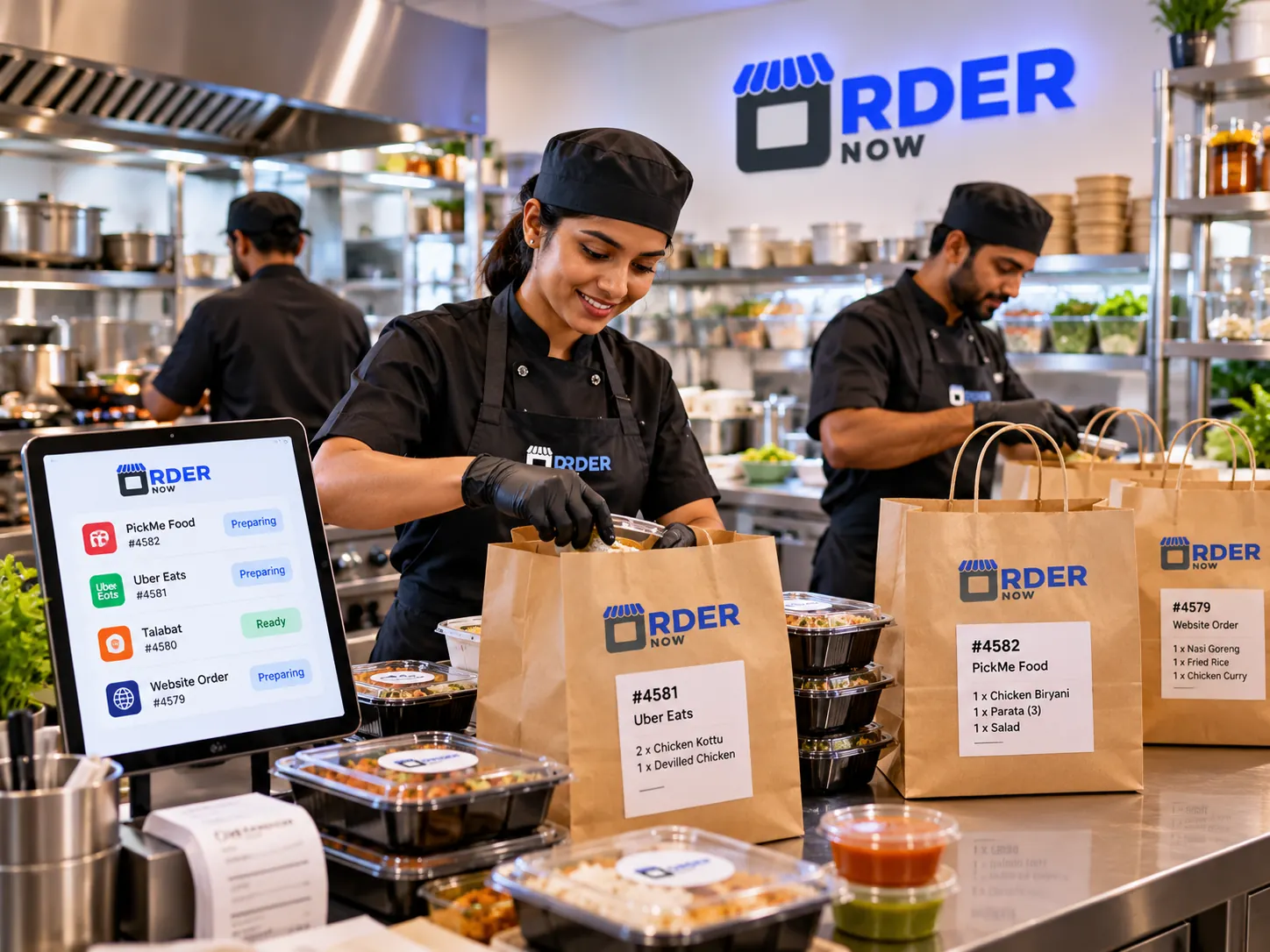
Bring supported marketplace orders to the production counter and help staff prioritize food preparation.
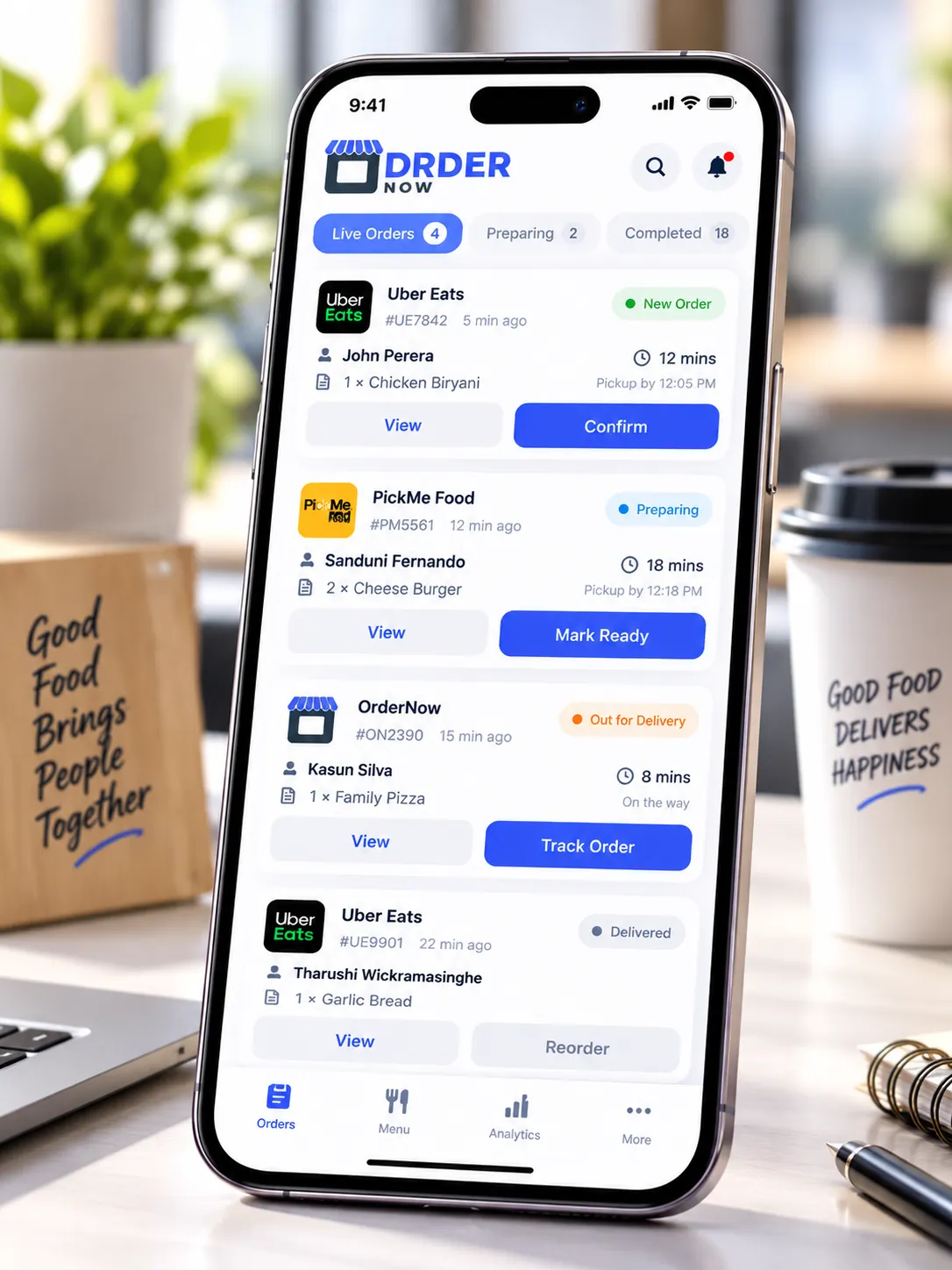
Give branch managers a clearer view of channels, menu availability and daily order flow, including when working from mobile devices.
Every marketplace connector requires more than a login. Secure approval, field mapping and practical end-to-end testing matter.
Confirm each delivery merchant account, branch, approved connector access and the actions permitted by the delivery platform.
Match item IDs, modifiers, prices, availability, status transitions, printer routing and supported outlets.
Test the complete path from marketplace checkout to reception, acceptance, kitchen handoff and reporting.
Agree on operating roles, exception handling and a fallback plan for delays or connector outages.
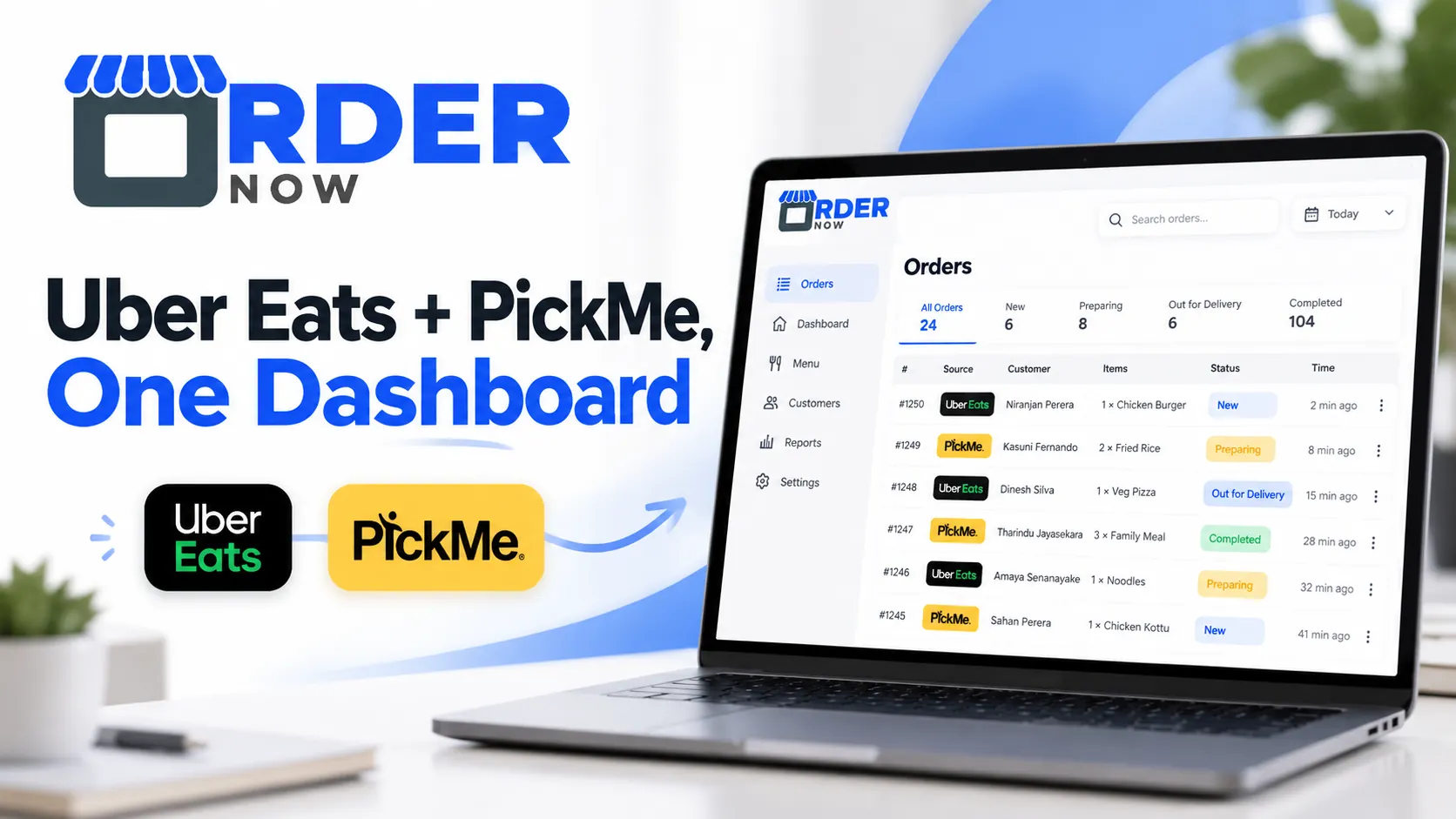 Integration demo preview
We can discuss order reception, supported menu updates, KOT printing and branch-specific requirements. Ask for a guided demonstration of the functionality available for your accounts.
No prerecorded demonstration video has been published for this page yet. When a verified walkthrough is available, it can be embedded here with a transcript and video schema.
Request Product WalkthroughStraight answers about order management, menu synchronization, tablets, kitchen tickets and integration eligibility.
OrderNow is designed to bring orders from supported external delivery channels into one restaurant dashboard alongside direct OrderNow orders. Connecting Uber Eats and PickMe Food depends on available platform access and your restaurant setup.
A successfully configured and tested integration can reduce the need to switch between separate order tablets for supported order-management tasks. The delivery platform may still require an approved device or fallback process.
OrderNow supports menu items, pricing, categories, variations and availability management. Which menu fields can be published to Uber Eats or PickMe Food depends on each platform’s approved integration permissions and field mappings.
OrderNow includes Kitchen Order Tickets and a Kitchen Display System. Once an external order has been received into the supported order workflow, kitchen routing can be configured for compatible printers or displays.
Yes. OrderNow includes restaurant, cloud-kitchen and multi-location management capabilities. Each external delivery account and outlet must be mapped and validated individually.
No. Uber Eats and PickMe Food set their own marketplace fees under their merchant agreements. OrderNow’s 0% commission messaging refers to eligible orders placed directly through OrderNow, not third-party marketplace orders.
Integration availability depends on your restaurant, delivery-platform merchant accounts and API or partner approval. Contact OrderNow to verify the supported connection and available menu and order actions before subscribing.
Custom integration pricing is provided after checking your number of locations, required delivery channels, menu synchronization needs and platform permissions. Request a tailored quotation from OrderNow.
Tell us which delivery platforms your restaurant uses. We will help check integration eligibility, explain supported capabilities and prepare an appropriate solution for your operation.
Share a few details. Submitting opens WhatsApp with a prefilled message for the OrderNow team. No information is sent until you confirm in WhatsApp.
Talk to OrderNow
Tell us what you need and our team will help you choose the right setup.